
XK777 Game Login
On this page
XK777 Game only asks for your password inside the official app itself, not on this page — this guide exists purely to walk you through downloading and using it. If any site or message asks you to type your password elsewhere, treat it as fake and don't enter it.
What you need to sign in
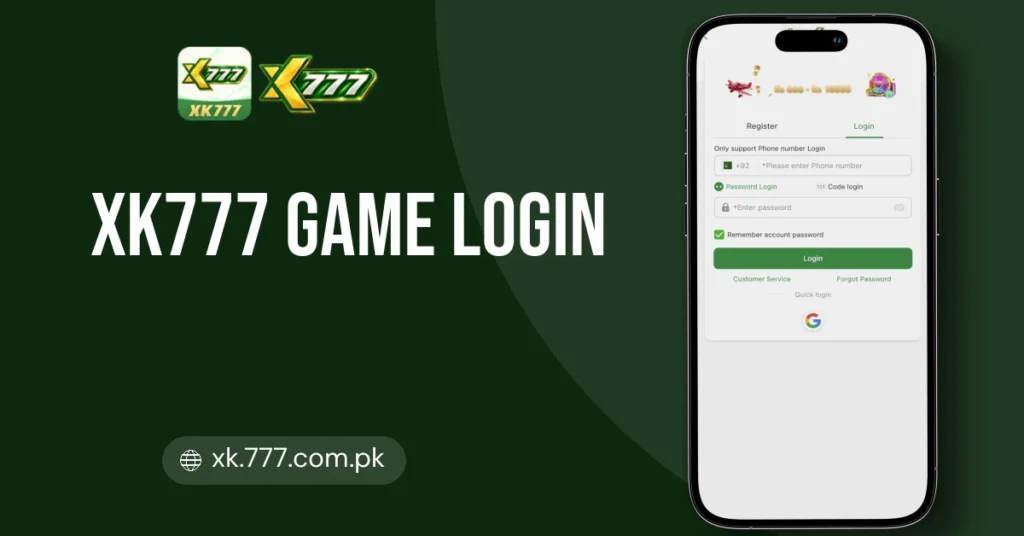
Signing in to XK777 Game just needs a registered account plus a device that meets a few basic specs, since this is an 18+ real-money casino built for players in Pakistan running PKR balances. Before you log in for the first time, it helps to know what credentials you'll enter and what your phone or PC should handle.
Account & Credentials
You'll sign in with your registered account details (phone number or username plus password) tied to your XK777 profile. Registration is restricted to players aged 18 and over based in Pakistan, and JazzCash or Easypaisa details are typically added afterward for deposits and withdrawals.
Android Requirements
The app needs Android 6.0 or higher, with 2 GB RAM as a minimum and 4 GB recommended for smoother handling of the 300+ game library. Expect around 350 MB of storage used, plus at least a 3G connection (4G/5G or Wi-Fi recommended).
iOS & PC Access
iOS users need iOS 12 or later and log in through Safari or Chrome, since there's no App Store version to install. On a PC, you can either play through a desktop browser directly or run the Android app via an emulator such as BlueStacks 5, LDPlayer 9 or NoxPlayer, with 4 GB RAM and 5 GB free storage recommended for that setup.
How to login to XK777 Game — step by step
Five taps from the welcome screen to your balance.
- 1
Grab the app from this page
Use the download link on this page to install XK777 Game on Android, or, on iOS, skip the App Store entirely and open the game straight in Safari or Chrome.
- 2
Launch and find sign-in
Open the installed app (or the browser tab if you're on iOS or desktop) and tap the login option on the opening screen.
- 3
Enter your account details
Type in your registered phone number or username along with your password exactly as you set them up.
- 4
Confirm and load the lobby
Submit your details and the 300+ game lobby — slots, live casino, crash titles and sports betting alike — will load once you're verified.
- 5
Same login works everywhere
Whether you're on the Android app, an emulator like BlueStacks or LDPlayer on PC, or a desktop browser, your credentials carry over so you don't need separate accounts.
- 6
Reach support if blocked
If sign-in fails, 24/7 live chat, WhatsApp, Telegram or email support can help sort out access issues.
After you sign in
Four things worth doing on your first session.
Grab the Signup Bonus
Your Rs. 666 signup bonus should be sitting in your account balance the moment you log in, so check it before doing anything else.
Make Your First Deposit
JazzCash and Easypaisa both process instantly from Rs. 300, and that first deposit also triggers the 7% deposit bonus.
Check Your VIP Progress
Sign-in activity counts toward VIP levels up to VIP 22+, with daily salary claimable each day and monthly salary paid out on the 1st.
Save the Support Channels
Add Live Chat, WhatsApp or Telegram to your contacts so help is on hand whenever you deposit, play or withdraw.
Forgot password — how to reset it
- 1
Tap Forgot Password
On the XK777 Game login screen, select the forgot-password link instead of entering your usual PIN.
- 2
Enter Your Account ID
Type in the mobile number or username you registered with so the system can locate your account.
- 3
Verify Through Support
Reach the 24/7 live chat, WhatsApp, Telegram, or email support to confirm your identity and receive reset instructions.
- 4
Create A New Password
Once verified, set a fresh password you haven't used before on this account.
- 5
Log In And Check Balance
Sign back in with the new password and confirm your deposit history, bonus credits, and pending withdrawals are unaffected.
- 6
Save Login Details Safely
Keep your new credentials somewhere secure so future deposits and withdrawal requests aren't delayed by another lockout.
Protect your XK777 Game account
Your account holds real money — treat the password like a bank PIN.
- Grab the signup bonus of Rs. 666 and the 7% deposit bonus straight from the in-app promotions tab, never from a forwarded link claiming a bigger offer.
- Match every deposit and withdrawal against the method you actually used — Easypaisa, JazzCash, Bank Transfer or USDT — since each has its own minimum and processing window.
- Re-download the app only through the button on this page rather than a copy someone sends you, and check the version reads 6.4 before opening it.
- Route any support question through the listed 24/7 Live Chat, WhatsApp, Email or Telegram channels instead of a random number that messages you first.
- Keep withdrawal requests inside the stated Rs. 200–Rs. 500,000 PKR range or the USDT figures, and question anything that asks you to send funds outside the app first.
- Claim VIP daily and monthly salary rewards inside their stated windows, since the app's own rules say unclaimed rewards expire.
Spotting a scam login page
Genuine XK777 pages never ask you to read out an OTP or PIN over chat.
Can’t login? Fix every sign-in problem
Wrong Number or Password
Double-check the mobile number you registered with, since XK777 Game logins are tied to that number rather than an email. If the password's gone, reach the 24/7 Live Chat or WhatsApp support to get it reset.
OTP Never Arrives
A weak connection is the usual culprit — the app needs at least 3G, though 4G, 5G or Wi-Fi works far more reliably for receiving codes. Switch networks and request the code again before trying a different method.
Outdated App Version
Sign-in can stall if you're running an older build instead of version 6.4. Grab the current APK from the download link on this page and reinstall.
iOS Users Can't Find the App
There's no App Store listing for XK777 Game — iOS 12+ users sign in through the Safari or Chrome browser instead. Trying to search for a standalone app is the mistake here, not a login bug.
Emulator Won't Load the Login Screen
On PC, BlueStacks 5, LDPlayer 9 and NoxPlayer all need roughly 4 GB RAM and 5 GB free storage to run the Android app properly. If the emulator is underpowered, the sign-in screen may freeze or fail to render.
Account Locked or Flagged
Repeated failed attempts can temporarily lock access to your account. Contact Live Chat or WhatsApp support, both staffed 24/7, to verify your details and get it reopened.
Need More Login Help?
Support runs 24/7 through Live Chat, WhatsApp, Telegram or Email if none of these fixes get you back into your account.